

In most factories, quality still depends on inspectors “doing their best” with spreadsheets, paper checklists, and gut feel. That works when you ship a few dozen units. It collapses when you’re dealing with thousands.
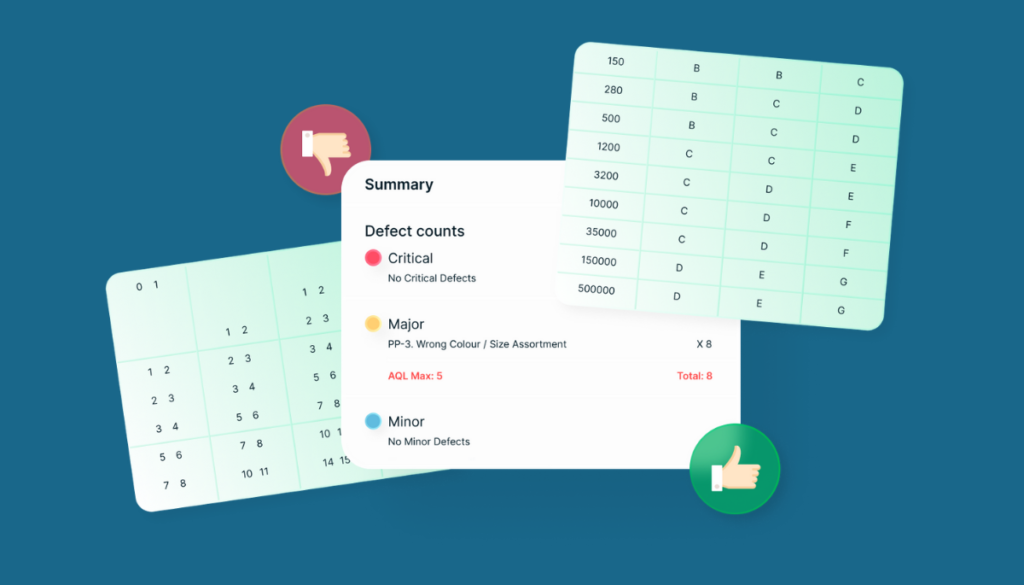
AQL Quality Assurance By HavaraTech is designed for exactly this reality: high-volume, high-variance manufacturing where you cannot check every single piece, but you still need confidence in every shipment.
The real problem: not just defects, but decisions
When 3,500 units arrive from a supplier, your team has three hard questions:
- How many pieces should we actually inspect?
- What is the maximum defect level we’re willing to accept?
- At what point do we confidently say “this lot fails – don’t move it further”?
Most companies answer these questions inconsistently, or leave them to individual judgement. That leads to:
- Unclear quality expectations with suppliers
- Arguments between production, purchase, and QA
- Surprises at dispatch, right when customers are waiting
Turning AQL from theory into daily practice
AQL (Acceptance Quality Limit) gives a statistically sound way to decide how many samples to check, and how many defects are still acceptable for the lot to pass. The HavaraTech app takes those ISO‑standard AQL tables and bakes them directly into daily ERPNext transactions like Purchase Receipt (GRN), Stock Transfer, Delivery Note, and Job Card.
That means:
- Lot quantity is picked from the transaction automatically
- Configured inspection level per supplier or customer is applied
- The app calculates the right sample size, and how many Critical, Major, and Minor defects are allowed before the lot must be rejected or blocked
No spreadsheets. No manual lookups. No “we forgot to inspect this batch.”
From raw data to a clear “Pass / Fail”
One of the biggest frustrations for QA teams is that they capture readings but still argue about the result. The app changes that.
- Quality parameters are defined once as templates and linked to items (numeric, pass/fail, or visual checks).
- For each inspection, the app expands parameters across all required samples (for example, 5 parameters × 25 samples = 125 checks).
- As inspectors enter readings, the system automatically counts defects by severity and returns a simple, final verdict: Pass or Fail for the entire lot.
This gives operations a clear answer, and QA a fully traceable decision trail.
Quality gates that really hold
A quality system is only useful if it can actually stop bad material from moving. Because the AQL app plugs into ERPNext’s stock and manufacturing workflows, inspection results can be used as true quality gates:
- Block submission of a Purchase Receipt if the linked inspection failed
- Stop a non‑conforming lot from moving between warehouses
- Prevent dispatch of rejected finished goods, or require explicit override with proper authorization
In short: inspectors don’t just “raise issues”; the system enforces decisions.
Why this matters for leadership
For CXOs and plant heads, the benefits are straightforward:
- Lower risk of customer complaints and returns
- Better supplier performance tracking and negotiation power
- Faster, more confident decisions on borderline lots
- A reusable, configurable app that can support multiple plants and customers, not just one project
If your teams are still juggling AQL tables, Excel sheets, and ERP screenshots to justify every shipment, it may be time to let the system do the heavy lifting and let your people focus on improving the process, not fighting with the data.
🔗 Curious to see how this app can make the shift in your organization? Let’s talk.
