

In many organizations, ERP and quality live in separate worlds: ERP tracks quantities and costs; quality lives in Word, Excel, and stand‑alone tools. The result is predictable: great reports, but poor control.
Frappe ERPNext already includes a Quality Inspection framework that lets you define parameters, templates, and acceptance criteria directly against items and stock transactions. The AQL Quality Assurance App builds on this foundation and takes it several steps further.
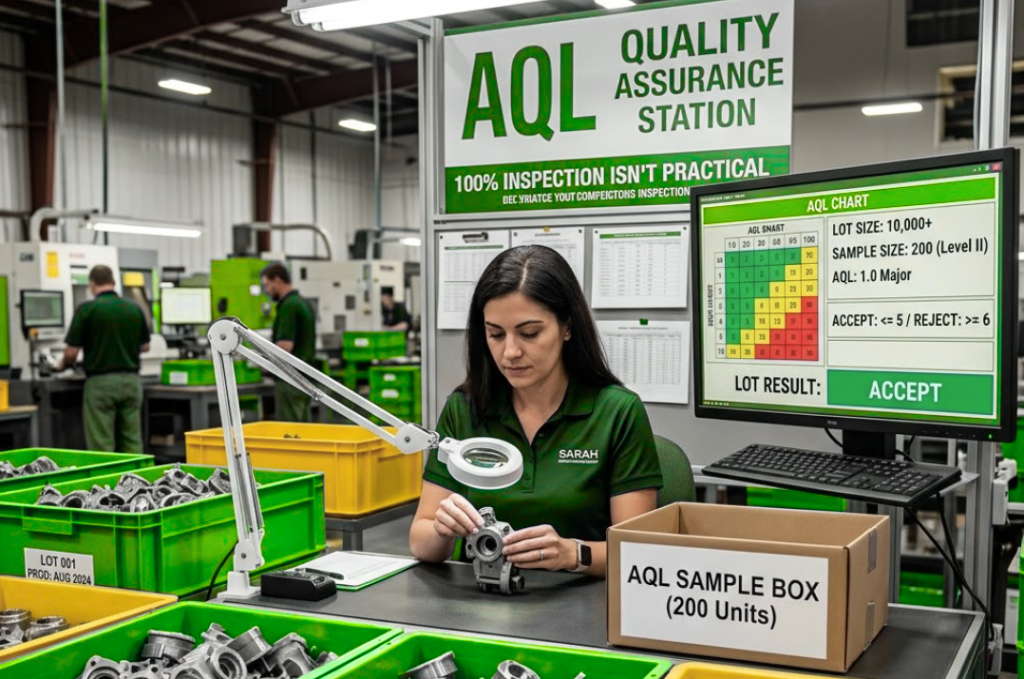
Bringing AQL logic into ERP, not around it
Instead of an external AQL calculator or offline tool, the app embeds AQL decisions right inside ERPNext’s quality workflow:
- Sample size is calculated automatically from lot quantity and inspection level
- Parameters are expanded per sample, so you never “under‑test” by accident
- Defect counts drive the final Pass/Fail decision, using the AQL accept/reject limits
This ensures that whatever moves in your system has a traceable, standards-based quality decision behind it.
Enforcing quality at the right points
Because the app is deeply linked with ERPNext, organizations can decide how strict they want to be at different checkpoints:
- Incoming material (Purchase Receipt): block stock from entering usable inventory until inspection passes
- In‑process output (Job Card): ensure only conforming semi‑finished goods move to the next operation
- Internal transfers (Stock Entry): keep non‑conforming stock quarantined instead of mixing with good stock
- Outgoing shipments (Delivery Note): prevent dispatch of failed lots, or require explicit approvals
Different businesses can configure whether a failed inspection is a hard stop or a warning with override.
Giving inspectors a smarter, simpler workspace
For inspectors, the app behaves like a focused workbench rather than a generic form:
- Inspection templates capture which parameters to test, acceptable ranges, and defect category (Critical/Major/Minor) once
- Each inspection auto‑generates all required rows; inspectors simply record readings and observations
- The system handles numeric ranges, pass/fail checks, and visual/text remarks
- Where needed, teams can still apply professional judgement via manual inspection options for borderline cases
The result: less admin, more time on the actual inspection.
Clear reports that travel with the shipment
Customers increasingly demand evidence: “Show me how you tested and why you passed this lot.” The app supports generation of detailed inspection reports that include:
- Lot and transaction details (item, quantity, supplier/customer, reference document)
- Applied inspection level and AQL settings
- Sample size, parameters, readings, and defects by classification
- Final Pass/Fail status, with inspector and verifier signatures
These reports can be shared as PDF, attached to shipments, and reused for audits or regulatory submissions.
For organizations already on ERPNext, this is a natural way to elevate quality from a side activity to a core part of how the business runs.
🔗 Curious to see how this app can make the shift in your organization? Let’s talk.
